Asset registry with real hierarchy, work orders on a board, preventive maintenance on hours run as well as dates, spare parts pooled across sites with purchasing behind them, documentation on the machine via QR, and subcontractors who complete work from a link. All of it in production, some of it for eight years.
This page shows the shipped product. The roadmap is at the bottom, clearly separated.
Every asset has a single page holding its identity, live meters and alerts, maintenance calendar and history, spare parts and bill of materials, and every document that belongs to it. A technician scans the QR code on the enclosure and lands here.
| Closed | Work order | Type | Done by | Evidence |
|---|---|---|---|---|
| 12 Jun | Quarterly inverter service WO-8612 |
Preventive | A. Whitcombe SUB | 6 photos4 readingsSignature |
| 28 Apr | Cooling fan replacement WO-8407 |
Corrective | J. Moreau | 2 photosPart: fan kitSignature |
| 09 Mar | Thermography — DC terminations WO-8231 |
Preventive | E. Kowalski SUB | IR reportSignature |
Interface mockup. Tabs and layout mirror the shipped equipment page; the data is representative, not a customer record.
Every job ever done on the machine, who did it, what parts went in and what evidence came back, attached to the asset rather than buried in a closed work order.
The code on the enclosure opens the record on any phone: history, manuals, drawings, safety checklists, open work. No searching, no asking the planner.
Manufacturer, serial and commissioning date sit on the asset, so a claimable failure is visible as one while the claim is still worth making.
Equipment, components and spare parts are first-class records in a parent/child tree: portfolio, site, block, equipment, component. Costs, failures and history roll up the tree, so "what is this string costing us" and "which inverters of this model keep failing" are queries rather than research projects.
Each record carries status, criticality, manufacturer, model, serial, commissioning date and any parameter you care to define. Status is visible at a glance across the whole estate.
The tree spans every site you maintain and every client you maintain it for, with each client's data separated at the database level and access scoped by role.
Interface mockup — representative hierarchy, not a customer configuration.
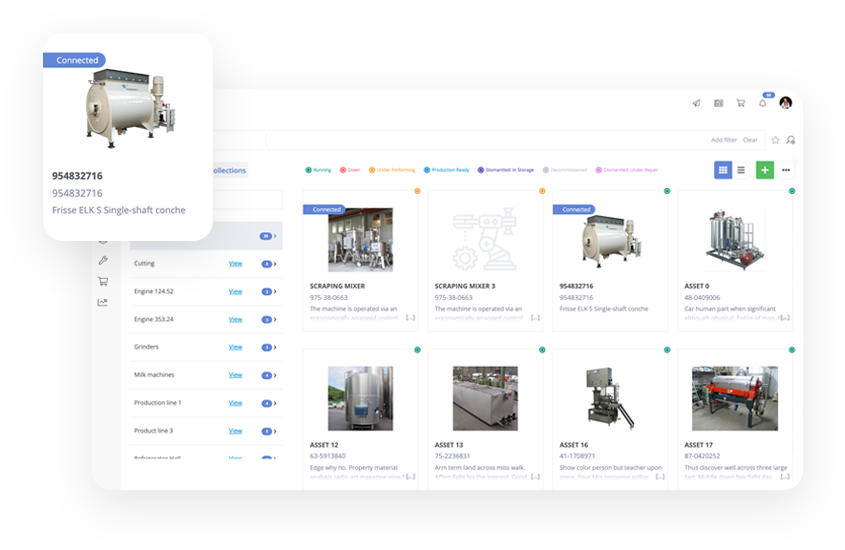
The register in Facterra today, captured in an industrial deployment. Equipment photography, tag numbers, live status and connection state on every tile.
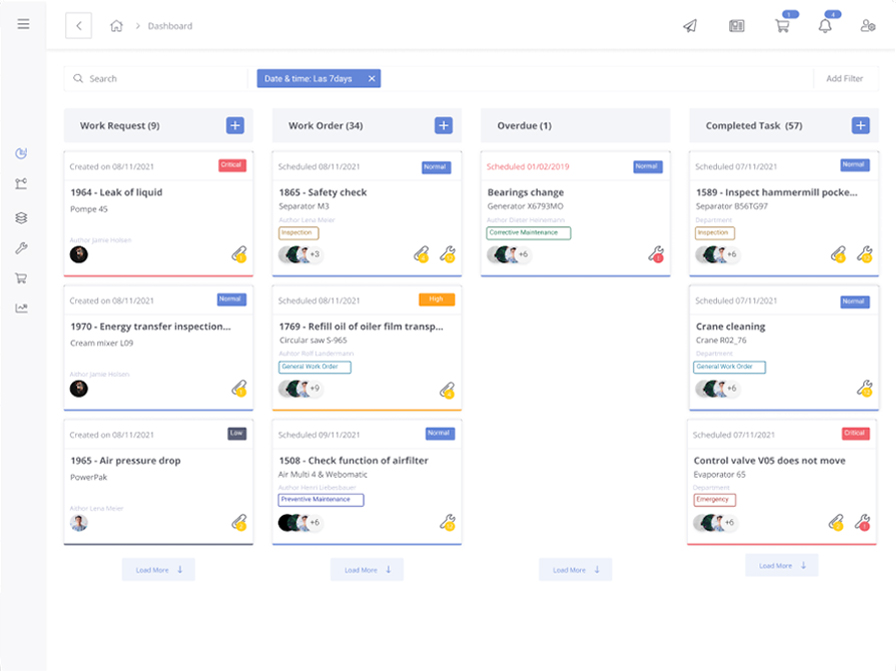
Requests come in from operators, alarms or inspections; the planner turns them into orders, assigns a crew or a subcontractor, and drags them through to done. Overdue work sits in a column everyone can see, rather than surfacing in a report at month end.
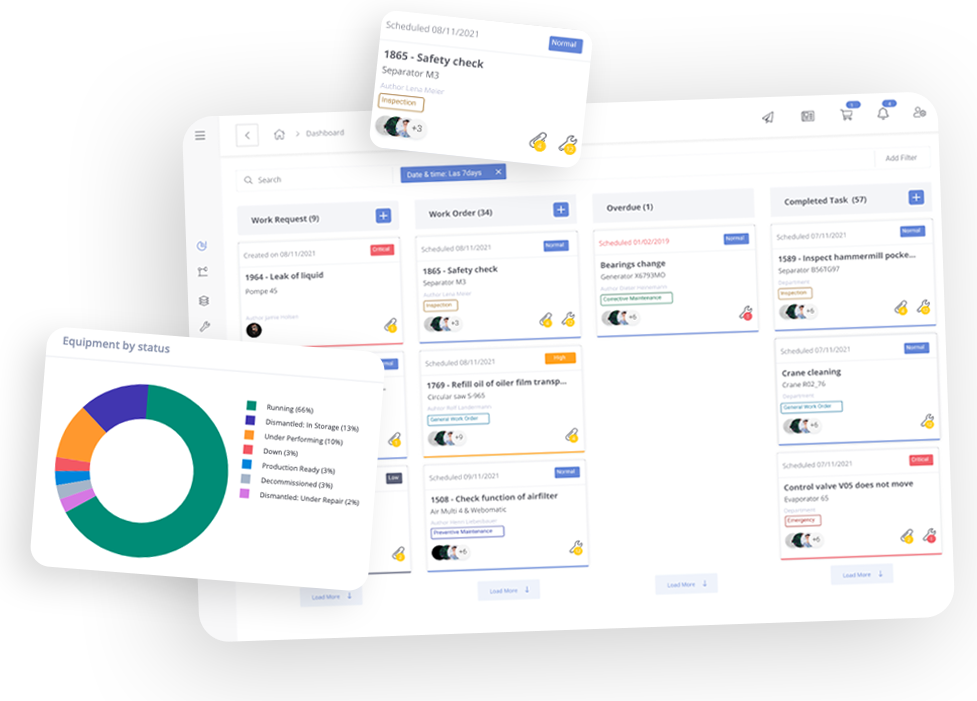
The board in Facterra today. Priority, work type, the asset and the crew on every card, with drag-and-drop that works on a tablet in the plant.
Request, order, report. A completed job carries its post-completion report, so closing a work order means recording what was found, not just that someone went.
Jobs can depend on other jobs, and approval workflows gate the steps that need a decision — a cost sign-off, an engineering review — before work proceeds.
A work order can go to your own crew or to a subcontractor with no account, by link, and the completed record comes back either way.
Calendar PM regimes are the baseline. On top of them, meters and counters feed triggers: a genset serviced every 500 running hours, a contactor inspected every 6,000 operations, a filter cleaned when differential pressure drifts. The rule fires, the work order raises itself against the plan, and the right people are notified by email, SMS or in the app.
Readings come from PLC counters, connected sensors and meters, or from a technician typing a number at the machine. Either way the reading lands on the asset, and the trigger doesn't care which route it took.
This is how plant that runs intermittently — standby generators, trackers, pumps — gets serviced on what it did rather than on how long it sat there.
| Trigger | Rule | Then | |
|---|---|---|---|
| Running hours GEN-A01 |
Every 500 h | Raise Oil & filter service Notify: email + SMS |
|
| Switch count ATS-2 |
Every 6,000 ops | Raise Contactor inspection Notify: in-app |
|
| Supply air temp CRAC-07 |
> 27 °C for 15 min | Alert, high priority Notify: email + SMS |
|
| Diff. pressure INV-B02-014 |
ΔP > 0.6 kPa | Raise Filter clean Notify: email |
Interface mockup — the rule shapes mirror the shipped alert builder; representative assets, not customer data.
| Location | Stock | Min | On order |
|---|---|---|---|
| Redland Creek I — store | 0 | 2 | PO-2214 · due 18 Aug |
| Harwick BESS — container | 3 | 1 | — |
| Central warehouse | 6 | 4 | — |
Stock levels with min/max thresholds per location, movement history, and one view of the same part across every site and van stock you run. Before anyone raises a purchase order, the system shows the sister site holding three on a shelf.
Purchasing is in the product, not bolted on: requisition, request for quotation, order, receipt. Purchase orders write back to your ERP where one exists, and parts consumed on a job land on the work order and the asset's cost history.
Parts attach to work orders and maintenance plans, so upcoming demand is visible against the shelf — and the Friday job doesn't die on Thursday because someone used the last seal kit on a breakdown.
Interface mockup — representative stock, not customer data.
Manuals, drawings, certificates and safety checklists are stored against the asset, and the QR code on the enclosure opens them on whatever phone the technician is carrying. The single-line diagram is at the switchgear, not in a folder on someone's laptop.
Checklists run at the point of work: step by step, with readings and photos captured against each step and a sign-off at the end. The completed checklist becomes part of the asset's record — which is the raw material every audit and owner report is later built from.
Certificates carry expiry dates, so the lifting-gear cert that lapses in March is a warning in February rather than a finding in April.
Interface mockup — representative documents, not customer data.
Most of the work on distributed infrastructure is done by people who will never log into your system. Facterra sends them a work order as a link, by SMS or email. It opens on their phone with the asset, the history and the checklist; photos, readings and a signature come back attached to the record.
No licence, no app, no account — and the platform is licensed rather than the seat, so two hundred subcontractors cost you nothing extra.
Facterra is a cloud-native web application with a REST API underneath every screen, which is why it integrates instead of importing spreadsheets. It runs in our cloud with EU, US or Singapore residency, in your cloud tenancy, or on your own servers.
Analytics ship with it: maintenance, purchasing and per-site views, configurable dashboards, shift reporting and data export. Deployments include dashboards built around how you actually report.
Technicians spend a large share of the day on administration rather than on tools. We're building the layer that does that administrative work — raising the order from a voice note, suggesting the likely cause with sources, chasing the parts, assembling the evidence. It suggests. A person signs.
Everything in this section is in development, not shipping. The split is listed plainly below.
A tech speaks into their phone or sends a photo. It works out the machine, the fault and the urgency. Won't guess the asset — if it can't match it, it asks.
Readings beside every repair on that machine and its twins, a short list of causes, the parts to bring. Won't state a cause without showing the reading or past job behind it.
Crew, stock, permits and production windows go to a purpose-built solver; a schedule that survives contact comes back. Won't schedule a job with no part or no valid permit.
Usage against lead times, stock held against planned jobs, the sister site checked before a purchase. Won't spend past your limit without an approval.
Certificates, readings, signatures and photos collected as jobs close. Won't create evidence — a missing signature stays missing, and stays visible.
Each interval weighed against the failures it prevents, changes proposed as trials with success criteria. Won't touch a statutory task without a named approver.
Say the rule in one sentence and it is compiled into something you can read line by line, edit, version and switch off. Before it goes live, it is back-tested against your last twelve months — "it would have fired forty-six times, here are all forty-six" — so you approve the rule you actually meant.
And the control model is fixed: it acts only on real assets and parts in your register, from a fixed set of moves, inside limits you set. Every entry shows its author, human or software, and reverses in one step. Anything carrying a regulatory or safety signature is signed by a named person, always.
Interface mockup of a feature in development — representative rule, not a customer configuration.
An asset register with full parent/child hierarchy across sites, work order management on a Kanban board, preventive maintenance on calendar and runtime triggers, meters and threshold alerts, spare parts with pooled stock across locations and a built-in procurement flow, document and checklist storage with QR access at the machine, subcontractor work order completion by link, analytics dashboards, and ERP, MES and SCADA integration via API. In production in industrial facilities since 2017.
On the administrative work around maintenance, not the engineering judgement inside it — raising the work order, suggesting a likely cause, chasing the parts, assembling the evidence. It suggests; a named person signs. That work is on the roadmap, described separately from what ships today.
No. Anything carrying a regulatory or safety signature — permits to work, isolation, pressure systems — is signed by a named person, always. The software can prepare and propose; the accountable signature belongs to a human being.
Yes. Every figure opens to the reading, document or transaction behind it, and if it can't show a source it doesn't show the number. Maintenance figures end up in audit evidence and contractual reporting, where an untraceable number is worthless.
English, German, Spanish and French, across the full product. Technicians work in their own language.
A two-hour training covers the basics for a technician. Deployment itself is a structured programme of up to sixteen weeks including data migration, ERP and SCADA interfaces, and training, run by the team that builds the product.
We take a small number of deployments at a time and run them ourselves — discovery, migration, integrations and training, with direct access to the people who build the product. Requirements come from operations, and we ship weekly.
If you run distributed critical infrastructure and want to see the product against your own asset list, we would like to hear from you.
We licence the platform rather than the seat, so the value doesn't depend on buying logins for people who will never use one.
We use Google Analytics to understand how this site is used. No advertising cookies, no cross-site tracking. See our Privacy Policy.